TradingView Review: Is It Worth It for Gold, Silver & Precious Metals Traders?

TradingView is one of the most popular charting platforms in the world, but popularity alone does not mean it is the right tool for every trader. In this TradingView review, we will look at what it does well, where it falls short, and whether it makes sense for gold, silver, and precious metals traders.

Affiliate disclosure: This article contains affiliate links. If you sign up through one of these links, AiBullionEdge may earn a commission at no extra cost to you. This does not change our opinion. The goal is to help you decide whether TradingView is actually useful for your trading and market research.
TradingView Review for gold and silver traders
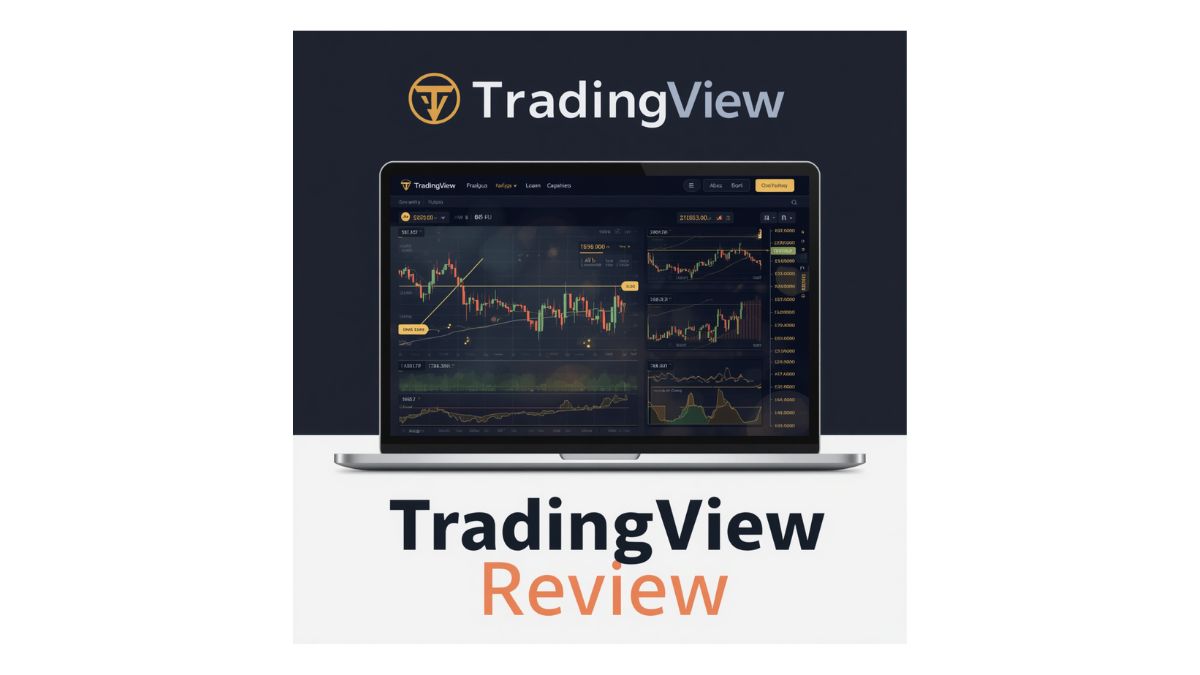
TradingView charting tools for gold, silver, and precious metals market analysis.

Quick TradingView Review Summary

TradingView is a web-based charting, analysis, and market research platform used by traders, investors, analysts, and market watchers. It is especially useful if you want clean charts, technical indicators, price alerts, watchlists, screeners, and a flexible workspace for tracking markets like gold, silver, stocks, crypto, forex, futures, and indices.

Best for: Traders and investors who want powerful charts, technical analysis tools, custom alerts, and multi-market research in one place.

Useful for precious metals? Yes. TradingView can be very helpful for tracking gold, silver, XAU/USD, XAG/USD, mining stocks, ETFs, currencies, and broader macro market signals.

Beginner friendly? Mostly yes. The interface is clean, but the number of tools can feel overwhelming at first.

Main downside: Some of the best features, more alerts, more indicators, and deeper charting flexibility are tied to paid plans.

Feature Our Take
Charting Excellent. This is TradingView’s strongest area.
Gold & Silver Analysis Very useful for tracking precious metals, market structure, and technical levels.
Alerts Helpful for traders who do not want to stare at charts all day.
Screeners Useful for filtering stocks, crypto, forex, and other markets.
Paper Trading Good for testing ideas without risking real money.
Pricing Free plan is useful, but active traders may eventually want a paid plan.
Overall Rating 4.6 out of 5 for charting and market analysis.
Google AdSense Placeholder — Insert in-article ad unit here after introduction.

What Is TradingView?

TradingView is an online charting platform that allows users to analyze financial markets using charts, indicators, drawing tools, alerts, watchlists, screeners, and community ideas. It works directly in a browser, but it also has desktop and mobile app options for traders who want access across different devices.

For precious metals traders, TradingView can be used to watch gold and silver prices, compare metals against currencies, track mining stocks, analyze ETFs, and monitor broader markets that often influence metals. This makes it more than just a charting tool. It can become your daily market dashboard.

The platform is not limited to one market. You can use it to watch gold, silver, oil, forex pairs, crypto, stock indices, individual stocks, commodities, and bonds. That matters because gold and silver rarely move in isolation. The U.S. dollar, interest rates, inflation expectations, bond yields, and stock market sentiment can all influence precious metals.

Simple way to think about it: TradingView is like a visual command center for market analysis. It helps you see price action, compare markets, set alerts, and organize your trading ideas in one place.

Who Is TradingView Best For?

TradingView can be useful for many types of market participants, but it is especially helpful for people who rely on charts and price levels to make decisions.

Gold & Silver Traders

TradingView is useful for analyzing XAU/USD, XAG/USD, gold futures, silver futures, mining stocks, and related ETFs.

Technical Analysts

If you use support, resistance, moving averages, trend lines, RSI, MACD, volume, or chart patterns, TradingView is a strong fit.

Market Watchers

Even if you do not trade every day, TradingView can help you monitor key price zones, trends, and market shifts.

Beginner Traders

The platform is beginner-friendly enough to start with basic charts, but deep enough to grow into over time.

Active Traders

Active traders may benefit from alerts, multi-chart layouts, watchlists, and faster access to different markets.

Research-Focused Investors

If you like comparing assets and studying long-term trends, TradingView can be useful beyond short-term trading.

If your focus is precious metals, TradingView becomes especially helpful when you use it to compare silver against gold, gold against the U.S. dollar, mining stocks against spot prices, and precious metals against broader risk assets.

TradingView Features That Matter Most

TradingView has many features, but not all of them matter equally. For gold, silver, and precious metals traders, the most important features are the charting tools, alerts, indicators, screeners, watchlists, and paper trading options.

1. Advanced Charting

Charting is the main reason many traders use TradingView. The charts are clean, flexible, and easy to customize. You can change timeframes, add indicators, draw trend lines, mark support and resistance zones, and compare symbols on the same chart.

For gold and silver traders, this is useful because precious metals often respect major technical levels. A clean chart can help you identify breakouts, pullbacks, trend reversals, consolidation zones, and long-term price structure.

2. Indicators and Drawing Tools

TradingView includes many popular indicators, including moving averages, RSI, MACD, Bollinger Bands, volume tools, trend indicators, and volatility indicators. You can also use drawing tools to mark price channels, Fibonacci levels, supply and demand zones, and trend lines.

The key is not to overload your chart. A good TradingView setup for precious metals can be simple: price, volume, one or two moving averages, support and resistance, and maybe one momentum indicator.

3. Price Alerts

Alerts are one of TradingView’s most useful features. Instead of checking gold or silver prices constantly, you can set alerts for important levels. For example, you might set an alert if silver breaks above resistance, gold falls below support, or a mining stock reaches a target price.

This is especially helpful for traders who follow multiple markets but do not want to sit in front of a screen all day.

4. Watchlists

Watchlists help you organize the markets you care about. A precious metals trader might create separate watchlists for gold, silver, mining stocks, ETFs, currencies, and macro indicators.

This keeps your research organized and makes it easier to spot relationships between markets. For example, if gold is rising while the U.S. dollar is weakening, that may tell a different story than gold rising while the dollar is also strong.

5. Screeners

TradingView screeners allow you to filter markets based on different conditions. Depending on your focus, you can use screeners to find stocks, crypto assets, forex pairs, or other instruments that match your criteria.

For precious metals investors, screeners can be useful when looking at mining companies, commodity-related stocks, or market sectors connected to gold and silver.

6. Paper Trading

Paper trading lets you test ideas without using real money. This can be helpful if you are learning technical analysis, testing a strategy, or practicing entries and exits before risking capital.

This does not guarantee real-world success, because live trading involves emotion, slippage, spreads, and execution pressure. Still, paper trading is useful for practice and discipline.

7. Multi-Market Research

One of TradingView’s biggest strengths is that it lets you watch many different markets from one platform. That matters for precious metals because gold and silver are connected to macroeconomic conditions.

A gold trader may want to monitor the U.S. dollar index, Treasury yields, inflation expectations, oil prices, major stock indices, and mining stocks. TradingView makes it easier to keep those relationships visible.

Google AdSense Placeholder — Insert in-article ad unit here after feature breakdown.

TradingView for Gold and Silver Traders

TradingView is especially useful for gold and silver traders because precious metals are highly visual markets. Price levels matter. Trend structure matters. Breakouts, pullbacks, and momentum shifts matter. TradingView gives you a clean way to watch all of that in real time or near real time, depending on your data access and market.

Gold and silver traders can use TradingView to track spot prices, futures, ETFs, mining stocks, currency pairs, and macro indicators. This creates a broader picture than simply looking at the silver price or gold price alone.

Helpful Markets to Watch on TradingView

Market Why It Matters
XAU/USD Shows gold priced against the U.S. dollar and is one of the most watched gold charts.
XAG/USD Shows silver priced against the U.S. dollar and is useful for silver-focused traders.
Gold/Silver Ratio Helps traders compare the relative strength of gold versus silver.
U.S. Dollar Index Gold and silver often react to dollar strength or weakness.
Bond Yields Interest-rate expectations can influence precious metals sentiment.
Mining Stocks Mining stocks can sometimes move more aggressively than the metals themselves.
Gold and Silver ETFs Useful for investors who prefer market exposure through exchange-traded products.

For a precious metals website like AiBullionEdge, TradingView fits naturally because it supports both technical analysis and market observation. It is not a magic prediction tool, but it can help you make your analysis more organized and visual.

TradingView Pros and Cons

No trading platform is perfect. TradingView has many strengths, but there are also some limitations to understand before you upgrade or rely on it as your main market analysis tool.

Pros Cons
Excellent charting tools
TradingView charts are clean, flexible, and easy to customize.
Can feel overwhelming
Beginners may need time to understand all the tools and settings.
Useful for many markets
You can follow stocks, crypto, forex, commodities, indices, and more.
Best features may require paid plans
Active traders may quickly outgrow the free version.
Strong alerts system
Alerts help you monitor key levels without watching charts constantly.
Market data can vary
Some exchanges or real-time data feeds may require additional data access.
Good for gold and silver analysis
Precious metals traders can track metals, currencies, ETFs, miners, and macro signals.
Not a complete trading education
The tool is powerful, but it will not replace strategy, risk management, or experience.
Paper trading available
Users can practice ideas before risking real capital.
Community ideas vary in quality
Some shared ideas are useful, but others may be speculative or poorly explained.

Is TradingView Beginner Friendly?

TradingView is beginner friendly in the sense that you can open a chart, search for a symbol, add a simple indicator, and start learning quickly. The basic experience is clean and approachable.

However, the platform becomes more complex as you explore advanced tools. There are many chart types, indicators, timeframes, drawing tools, layouts, alerts, scripts, and settings. That is great for serious users, but it can be too much if you try to learn everything at once.

Best beginner approach: Start with one market, one chart layout, and only a few tools. For example, if you follow silver, begin with XAG/USD, support and resistance lines, volume, and one moving average. Add more only when you understand why you need it.

For new gold and silver traders, TradingView is best used as a learning and observation tool first. Watch how price reacts around major levels. Study how gold moves when the dollar changes. Compare silver with gold. Over time, you will start seeing how markets connect.

TradingView Pricing: Is the Free Plan Enough?

TradingView offers a free version and several paid subscription options. The right plan depends on how actively you trade, how many alerts you need, how many indicators you use, and whether you want more advanced chart layouts.

The free version can be enough for casual users, beginners, and people who only need basic charting. If you are simply checking gold or silver charts occasionally, you may not need to upgrade immediately.

However, if you actively follow multiple assets, use several indicators, need more alerts, or want multiple charts on one screen, a paid plan may become more practical.

User Type Likely Fit
Casual market watcher Free plan may be enough to start.
Beginner precious metals trader Start free, then upgrade only if you need more alerts or tools.
Active technical trader A paid plan may be worth considering.
Multi-market trader Paid features may be more useful if you track many symbols and layouts.
Professional or high-frequency trader You may need more advanced features, data access, and broker-specific tools.

Before upgrading, check the current TradingView pricing page because plan features and pricing can change. Also remember that some real-time market data may be separate from the platform subscription depending on the market or exchange.

Google AdSense Placeholder — Insert in-article ad unit here before comparison section.

TradingView vs AI Trading Tools

TradingView is not the same type of tool as AI trading platforms like TrendSpider, Tickeron, or Trade Ideas. TradingView is mainly a charting and market analysis platform, while many AI trading tools focus more on automated pattern detection, trade ideas, scanning, or algorithmic signals.

This matters because traders sometimes expect TradingView to “tell them what to buy.” That is not really the best way to use it. TradingView is better as a workspace for analysis, charting, alerts, and decision support.

Tool Type Best Use
TradingView Charting, technical analysis, alerts, watchlists, market comparison, and manual research.
TrendSpider Automated technical analysis, pattern recognition, and strategy-focused scanning.
Tickeron AI pattern recognition, trading ideas, and algorithmic market tools.
Trade Ideas Active stock scanning, day trading ideas, and AI-powered trading workflows.

For many traders, TradingView can work alongside AI tools rather than replacing them. You might use an AI tool to find a potential setup, then use TradingView to study the chart, confirm levels, set alerts, and manage your watchlist.

For more comparisons, you may also want to read our related guide: Best AI Trading Tools for Gold & Silver.

How I Would Use TradingView for Precious Metals Research

If you are using TradingView specifically for gold, silver, and precious metals, the best approach is to create a simple workflow. The goal is not to add every indicator possible. The goal is to make your research clearer.

Step 1: Create a Precious Metals Watchlist

Start with gold, silver, the gold/silver ratio, the U.S. dollar index, major mining stocks, and any ETFs you follow. Keeping these in one list makes daily research faster.

Step 2: Mark Major Weekly and Daily Levels

Gold and silver often react around important historical levels. Use TradingView’s drawing tools to mark support, resistance, trend lines, and consolidation zones.

Step 3: Compare Gold and Silver Strength

Silver can sometimes move more aggressively than gold. Comparing the two can help you understand whether precious metals strength is broad or isolated.

Step 4: Watch the U.S. Dollar

Because gold and silver are commonly priced in U.S. dollars, dollar strength or weakness can influence precious metals sentiment. It is not the only factor, but it is an important one.

Step 5: Set Alerts at Key Levels

Instead of checking charts all day, set alerts around major breakout zones, support areas, or price targets. This helps you stay aware without over-monitoring.

Step 6: Keep Notes on Your Charts

TradingView allows you to organize analysis visually. Use notes and drawings to remind yourself why a level matters. This can reduce emotional decision-making later.

Important: TradingView is a research and analysis tool. It does not remove trading risk. Always use proper risk management and never make investment decisions based only on one chart, one signal, or one indicator.

Final Verdict: Is TradingView Worth It?

TradingView is worth considering if you want a clean, flexible, and powerful charting platform for market analysis. For gold, silver, and precious metals traders, it can be especially useful because it helps you track metals, currencies, mining stocks, ETFs, and macro signals from one workspace.

The free plan is a good starting point for beginners and casual users. You can learn the platform, build a watchlist, study charts, and test whether it fits your workflow. More active traders may eventually find the paid plans useful because of extra alerts, additional chart layouts, more indicators, and greater flexibility.

The biggest reason to use TradingView is not that it predicts the market. It does not. The real value is that it helps you organize your analysis, see price action clearly, and monitor important levels without jumping between multiple platforms.

Our rating: 4.6 out of 5

Best for: Charting, technical analysis, alerts, watchlists, and precious metals market research.

Not ideal for: Traders who want a fully automated system that makes decisions for them.

Bottom line: TradingView is one of the best tools to consider if you want a serious charting platform for gold, silver, and broader market analysis.

TradingView Review FAQs

Is TradingView good for gold trading?

Yes. TradingView is useful for gold trading because it provides clean charts, technical indicators, drawing tools, alerts, and the ability to compare gold with other markets like the U.S. dollar, silver, mining stocks, and bond-related indicators.

Is TradingView good for silver trading?

Yes. Silver traders can use TradingView to track XAG/USD, silver futures, silver ETFs, mining stocks, and the gold/silver ratio. It is especially helpful for identifying support, resistance, trend changes, and breakout levels.

Can beginners use TradingView?

Yes, beginners can use TradingView, but they should start simple. Focus on basic charts, watchlists, support and resistance, and a few key indicators before exploring advanced features.

Is TradingView free?

TradingView has a free version, along with paid subscription plans. The free version can be enough for basic charting, while paid plans may be better for traders who need more alerts, indicators, chart layouts, and advanced features.

Does TradingView provide trading signals?

TradingView provides tools, indicators, alerts, community ideas, and scripts, but it should not be treated as a guaranteed signal service. Traders still need their own strategy, risk management, and decision-making process.

Can I paper trade on TradingView?

Yes. TradingView offers paper trading functionality that allows users to practice trading without risking real money. This can be helpful for testing ideas and building confidence.

Is TradingView better than AI trading tools?

TradingView is different from most AI trading tools. It is best for charting, analysis, alerts, and market research. AI trading tools may focus more on automated pattern recognition, scanning, or trade ideas. Many traders may use both together.

Related Articles

Continue building your trading research stack with these related AiBullionEdge guides: