TradingView Review 2026: Is It Useful for Gold & Silver Research?
TradingView is a popular charting and market-analysis platform, but popularity does not automatically make it the right tool for every investor. This review looks at the features that may matter to people researching gold, silver, mining stocks and related markets – and where the platform has limitations.
TradingView Review – Quick Summary
TradingView is primarily a charting, technical-analysis and market-monitoring platform. It can be particularly useful when you want to follow several related markets in one place instead of checking individual price pages.
Good fit for: People who want charts, watchlists, technical indicators and price alerts.
Possible precious-metals use: Monitoring gold, silver, mining stocks, ETFs, currencies and macro markets.
Beginner friendly? Basic charting is relatively approachable, although the full platform contains far more features than most beginners need.
Free option? Yes. TradingView currently offers a free tier as well as paid plans.
Main limitation: Some advanced features, larger alert allowances and additional charting capabilities require paid subscriptions or additional market-data access.
What Is TradingView?
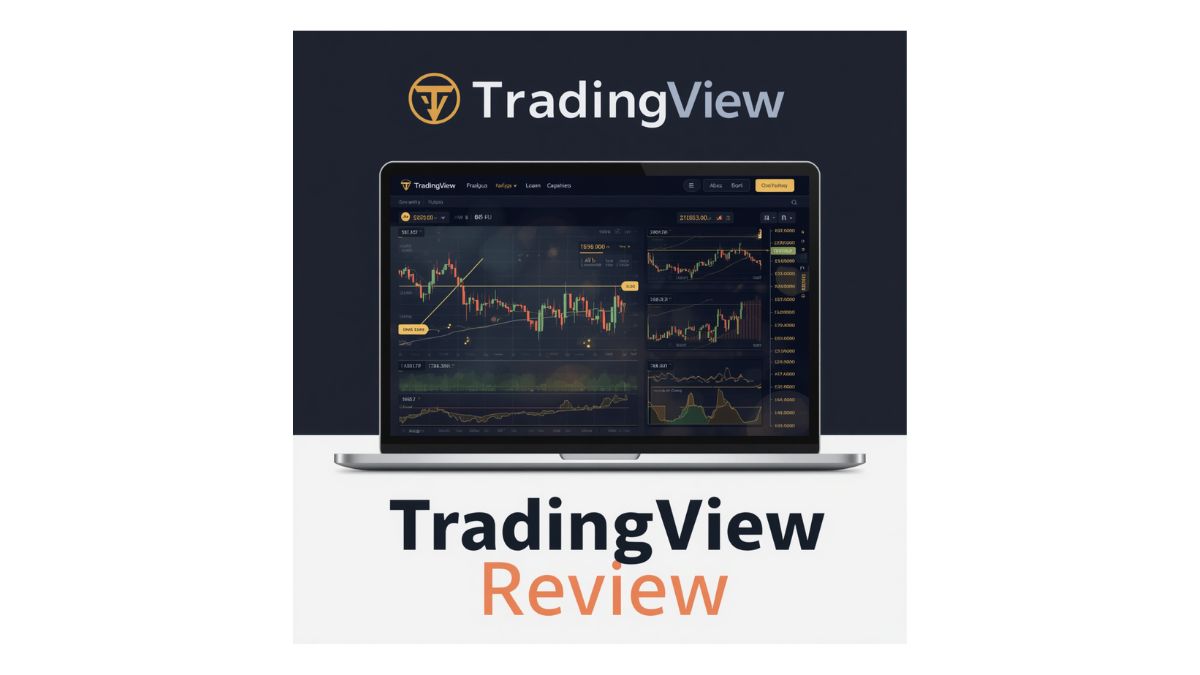
TradingView is a financial-market platform built around interactive charts, watchlists, technical indicators, screeners, alerts and trading-related tools. It is available through the web as well as desktop and mobile applications.
For someone researching precious metals, one advantage is that several different markets can be viewed from the same workspace. Instead of watching only the spot price of silver, for example, you can also monitor mining companies, ETFs, currencies and other markets that may provide additional context.
Who Might Find TradingView Useful?
Gold & Silver Researchers
Follow precious-metals prices and compare them with related financial markets.
Technical-Analysis Users
Use charts, indicators and drawing tools to study historical price behavior.
Market Watchers
Use watchlists and alerts to monitor prices without checking charts continuously.
Beginners Learning Charts
Start with basic price charts before experimenting with more advanced tools.
Mining-Stock Investors
Track individual mining companies and compare them with metals or ETFs.
Multi-Market Users
Keep stocks, currencies, commodities and other markets in one workspace.
TradingView Features That Matter Most
1. Interactive Charts
Charting is the core of TradingView. Users can change timeframes, add technical indicators, draw trend lines and compare symbols.
For precious-metals research, charts can help visualize historical price movement and identify areas where price previously changed direction. Charts should be treated as analysis tools rather than predictions.
2. Alerts
TradingView allows users to create alerts based on prices and a variety of technical conditions. Its current documentation also describes alerts based on indicators, drawings and custom logic.
An alert can be useful when you want to know that a market has reached a level without watching the screen continuously.
3. Watchlists
Watchlists allow users to group markets they want to monitor. A precious-metals watchlist might include gold, silver, selected mining companies and related ETFs.
4. Technical Indicators
TradingView provides technical indicators and drawing tools for studying trends, momentum, volatility and historical price behavior.
Beginners should resist the temptation to add dozens of indicators. More information does not automatically produce a better decision.
5. Screeners
Screeners can help narrow a larger list of securities based on selected criteria. Someone following precious metals might use them when researching mining or related companies.
6. Paper Trading
TradingView currently provides a simulated paper-trading environment that uses virtual money rather than real capital.
It can be useful for learning how orders work or practicing a strategy. However, simulated results do not guarantee that the same approach will perform successfully with real money.
Using TradingView for Gold and Silver Research
Precious-metals research often involves more than watching a single silver or gold chart. TradingView can help organize several markets in one workspace.
| Market or Asset | Possible Research Use |
|---|---|
| Gold | Monitor historical price movement and technical levels. |
| Silver | Follow silver price behavior across different timeframes. |
| Gold/Silver Ratio | Compare the relative price relationship between the two metals. |
| Mining Stocks | Research publicly traded companies connected with metals production. |
| Precious-Metals ETFs | Monitor exchange-traded products linked to metals or mining companies. |
| Currency & Macro Markets | Add broader financial-market context to metals research. |
TradingView Pros and Cons
| Advantages | Limitations |
|---|---|
|
Flexible charts Useful for following many types of financial markets. |
Can become complicated The number of tools and settings may overwhelm new users. |
|
Watchlists and alerts Useful for monitoring multiple markets. |
Paid limits vary Alert allowances and other features differ by subscription level. |
|
Paper trading Provides a simulated environment for practicing. |
Simulation is not live trading Real-world execution and investor behavior can differ substantially. |
|
Broad market coverage Precious metals can be viewed alongside stocks, currencies and other assets. |
Data access can vary Some real-time exchange data may involve separate arrangements or fees. |
Is TradingView Beginner Friendly?
It can be. A beginner can start with a basic chart, a short watchlist and a small number of alerts without using the more advanced functions.
The mistake I would avoid is trying to learn every tool at once. A beginner researching silver might start by following the silver price, creating a watchlist and setting one or two alerts.
TradingView Pricing – Is the Free Plan Enough?
TradingView currently offers a free plan as well as several paid subscription levels. Plan features, limits and promotional pricing can change, so I would not choose a subscription based on an old price quoted in a review.
For a beginner who mainly wants to follow gold or silver charts, the free version may be enough to learn the platform.
Someone who needs more alerts, additional charts, more indicators or advanced functionality may eventually find a paid plan more useful.
TradingView vs. AI Trading Platforms
TradingView should not be confused with software marketed primarily around AI-generated trade recommendations.
Its main value is charting, monitoring, alerts and market analysis. Other tools may focus more heavily on automated scanning, strategy testing or AI-generated ideas.
If you want to compare those different approaches, see our AI tools for gold and silver research guide .
A Simple Precious-Metals Research Setup
Step 1: Build a small watchlist
Start with gold, silver and only the related assets that actually matter to your research.
Step 2: Use clean charts
Avoid filling the screen with indicators before you understand what each one measures.
Step 3: Set useful alerts
Alerts can help you monitor important price levels without checking the platform constantly.
Step 4: Practice before taking risk
If you are learning trading rather than simply researching markets, a simulated environment can help you understand the mechanics first.
Step 5: Verify information independently
A charting platform is one source of information. Market decisions should not depend on a single chart, signal, indicator or community opinion.
Final Verdict – Is TradingView Worth Considering?
TradingView is worth researching if your main need is charting, watchlists, alerts and multi-market monitoring.
For gold and silver users specifically, its strongest advantage is the ability to keep precious metals and related financial markets in one workspace.
Someone who simply buys physical silver occasionally may not need a paid charting platform at all. Someone who actively studies charts, mining companies, ETFs or market relationships may find it much more useful.
Consider it if: You want a flexible charting and monitoring platform.
Start cautiously if: You are new to technical analysis and do not yet know which features you need.
Skip advanced plans for now if: You only check metals prices occasionally.
Bottom line: TradingView can be a useful research tool, but it does not replace education, independent judgment or risk management.
Official TradingView Sources
Features and subscription limits change, so verify current details directly with TradingView.
TradingView FAQs
Is TradingView useful for researching gold?
It can be. TradingView provides charts, watchlists, indicators and alerts that can help users monitor gold and related markets.
Can I use TradingView for silver?
Yes. Users can follow silver markets and add related securities or other assets to their research workspace.
Is TradingView free?
TradingView currently offers a free tier along with paid subscription plans. Features and limits vary by plan.
Can you paper trade on TradingView?
Yes. TradingView provides a simulated paper-trading environment using virtual funds rather than real money.
Does TradingView predict gold or silver prices?
No charting platform can predict future precious-metals prices with certainty. TradingView provides analysis and monitoring tools rather than guaranteed forecasts.